

@ mentions to connect a Skill to tools, workflows, other Skills, listing groups, listings, and reservation statuses.
Open Agents from the main sidebar, then select Skills from the Agents sidebar.
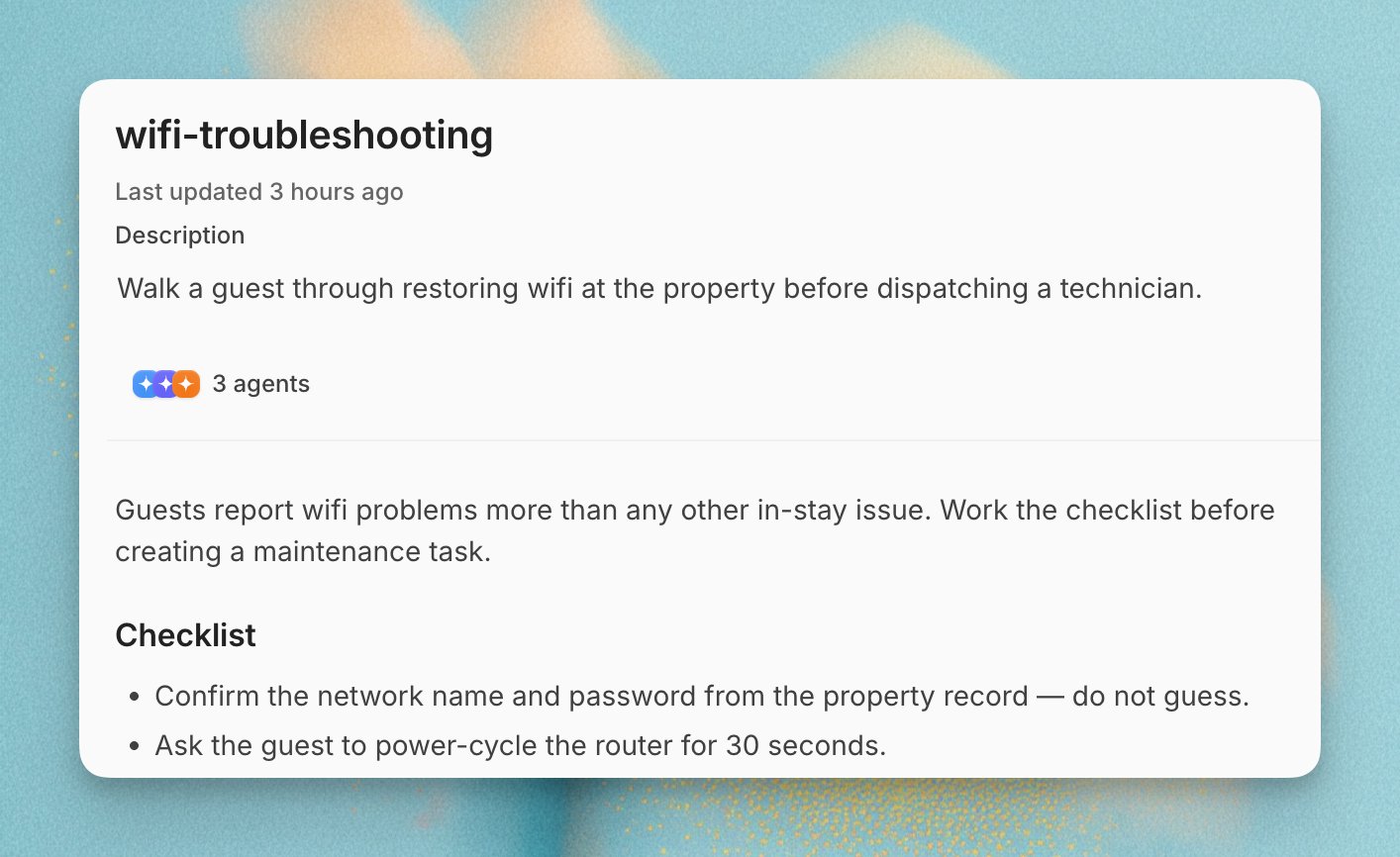
When to Use Skills
Use Skills for process knowledge that is more than a static fact:- How to handle a refund request
- How to triage an urgent issue
- How to use a workflow or custom tool
- How to format a specific kind of answer
- How to apply a brand or team operating standard
Create a Skill
1
Open Skills
Open Agents from the main sidebar, then select Skills from the
Agents sidebar.
2
Choose a creation method
Click the add button and choose With Skill Creator or Write
Manually.
3
Add a title and description
Give the Skill a clear title. In the description, explain what the Skill
does and when an agent should load it.
4
Write the instruction
Write the scenario, conditions, steps, tool usage, and expected output.
5
Save your changes
Click Save.
6
Enable and assign
New Skills are enabled and assigned to all current agents by default.
Disable the Skill or change its agent assignments if needed.
Skill Editor
The Skill editor supports formatted instructions and@ mentions.
Type
@ in the instruction editor to open the mention menu.
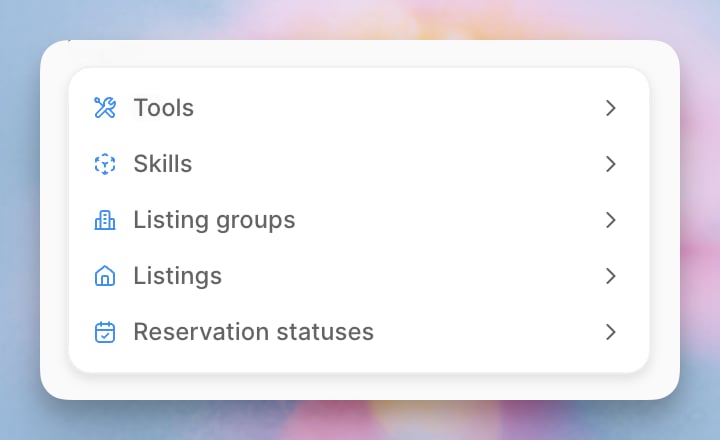
Mentioning a tool tells the agent which tool the instruction refers to. It
does not grant access to that tool. Enable the tool from the agent’s Tools
tab first.
Keep Facts in Knowledge
Skills should describe a process, not repeat facts that already live in Knowledge. Agents can retrieve relevant Knowledge while following a Skill.- Keep facts, policies, listing details, and other source-backed information in Knowledge.
- Use an
@mention for another Skill when the current playbook depends on a reusable process, such as escalation handling, refund handling, or appointment rescheduling. - Keep the current Skill focused on the scenario trigger, decision steps, and expected agent behavior.
Per-Agent Skills
Open an agent and go to Skills to control which workspace Skills that agent can use. New, enabled Skills are assigned to all current agents by default. If a Skill should only apply to one agent, remove it from the other agents after creating it. Disabling a Skill prevents assigned agents from using it. Deleting a Skill removes it from every agent.Review Skill Activity
Use the Activity view to see when agents report using a Skill and review what role it played in each run.- Open Agents from the main sidebar, then select Skills from the Agents sidebar.
- Select a Skill.
- Click Activity next to Instructions.
- Choose the last 7, 30, or 90 days.
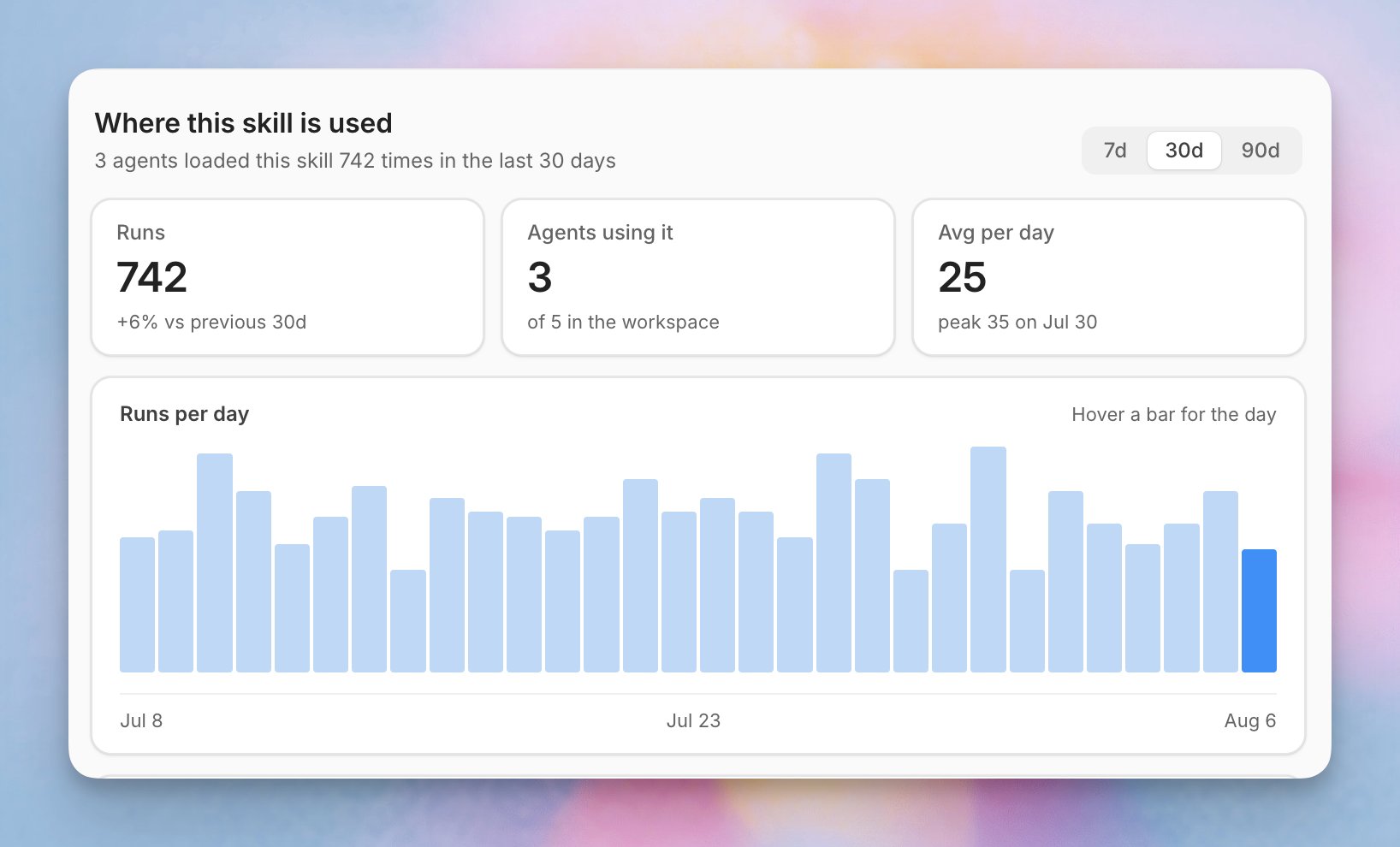
- Runs: Agent runs attributed to the Skill during the selected period.
- Agents using it: Active agents with at least one attributed run during the selected period.
- Average per day: The average number of attributed runs each day.
- Runs per day: A daily view of attributed runs. Hover over a bar to see the exact count.
An attributed run means the agent reported using the Skill. Attribution
alone does not prove that the Skill changed the response. Click Explain to
ask Operator to assess its influence. An in-context run means the Skill
was available from an earlier run in the session, but the agent did not report
using it in this run. The summary and chart count attributed runs only; the
run log includes both types.
Filter Activity
Select an agent under Agents running this Skill to filter the run log. Use the disposition menu above the run log to show runs with a specific result.Read the Run Log
The run log shows when the run happened, which agent handled it, its related conversation when available, its disposition, and how long the run took.- When a run is linked to an Inbox conversation, click the conversation to open it in a new tab.
- Hover over a disposition dot to see what it means.
- Click Explain on an attributed run to ask Operator how the Skill affected the response.
- Use the Open in inbox icon from an explanation to review the full conversation when one is available.
- Use Continue in Operator when you want to ask follow-up questions about the explanation.
Understand Dispositions
A disposition describes what happened at the end of the agent run.Examples
Reusable Brand Voice
Use a Skill when the agent needs a repeatable style for a specific situation:When responding to a VIP customer, acknowledge their status, keep the reply concise, and offer a concrete next step. Do not over-apologize.
Escalation Process
Use a Skill when the agent needs a conditional playbook:If the customer reports property damage, ask for a photo, collect the reservation ID if available, and escalate to the operations team. Do not promise reimbursement.
Tool-Use Instruction
Use a Skill when the agent needs to call a workflow or custom tool:If a guest asks to reschedule an appointment, check availability with the appointment tool before offering times. Only confirm after the tool returns an available slot.