

Why V3?
V3 rebuilds the Conduit agent harness for long-running agentic capabilities. Your agents become significantly more powerful:- Unlimited tool access. Agents can use any number of tools depending on what MCPs you connect and what custom tools you build. They can do more things than ever before.
- Skills replace procedures. Skills are a more powerful version of procedures. They can reference tools, other skills, and knowledge base content. They navigate all the context in your system in ways procedures couldn’t.
- Operator. A new AI-powered layer that helps you manage your knowledge base and agent behavior. Operator can write skills and knowledge articles with better context and detail, audit your knowledge base for conflicts, suggest improvements, handle escalations, and ask clarifying questions when something is unclear. Operator also generates downloadable PDF reports (with charts), CSV exports, and answers questions directly from your data.
- Customer agents. Contact-facing agents with configurable guardrails and behavior, triggered by an inbox type. This is how all your current agents work today.
- Internal agents. Internal-facing agents that handle operational work behind the scenes, triggered by specific channels you configure or by Operator. Internal agents run out of the guest’s view, so your team can act on data without interrupting conversations. Slack is live; Teams, Phone, Email, and WhatsApp are coming soon.
- Smarter escalation handling. Cluster escalations together and resolve them in bulk to improve your automation rates.
- Redesigned knowledge base. A new folder structure that’s easier to manage. The Operator is the best way to distill your knowledge and edit it going forward.
- Inbox flexibility. Choose between the contact-based inbox (what you use today) or the new ticket-based inbox where each reservation or conversation creates a separate ticket.
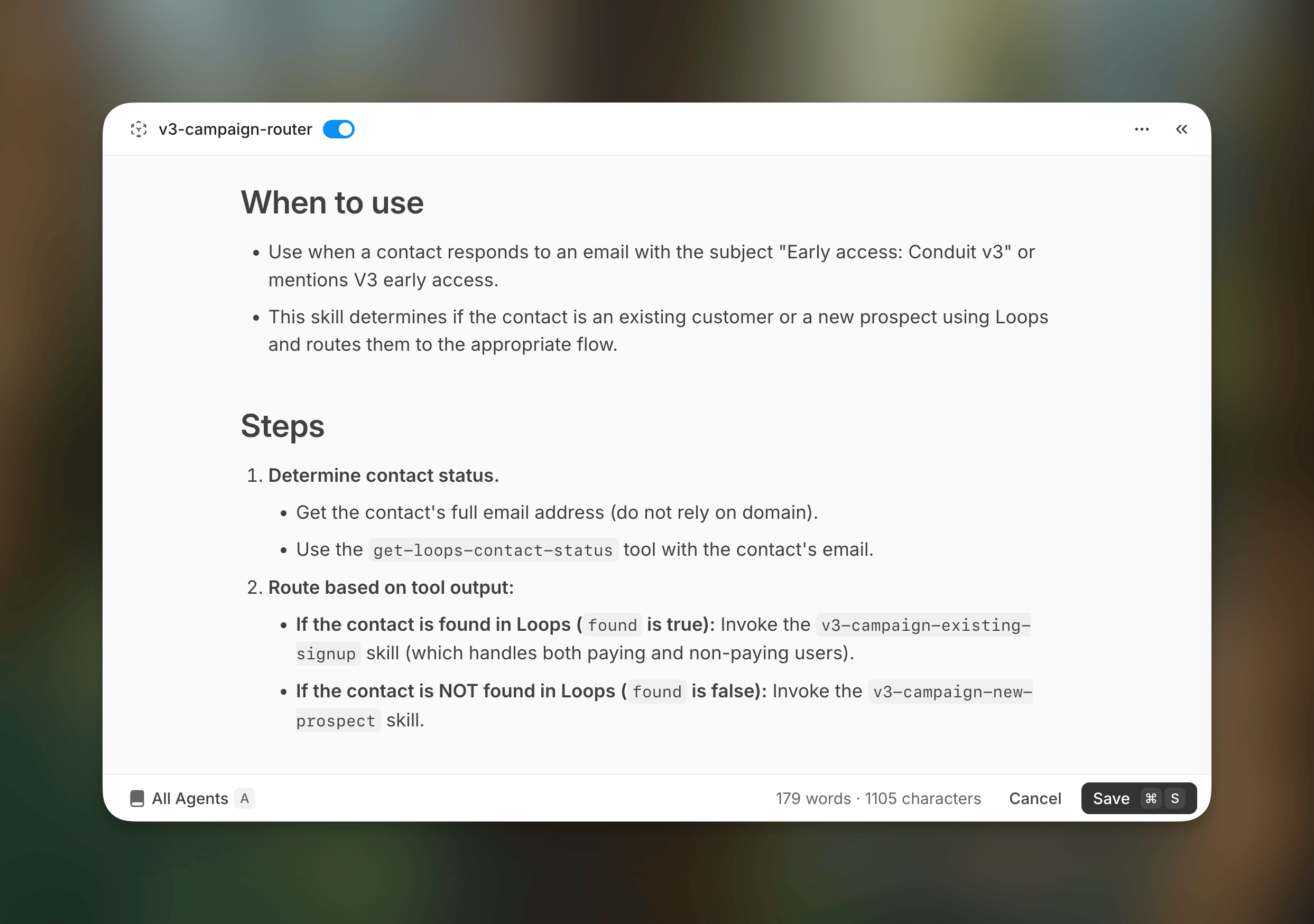
Skills replace procedures with multi-step, tool-aware logic.
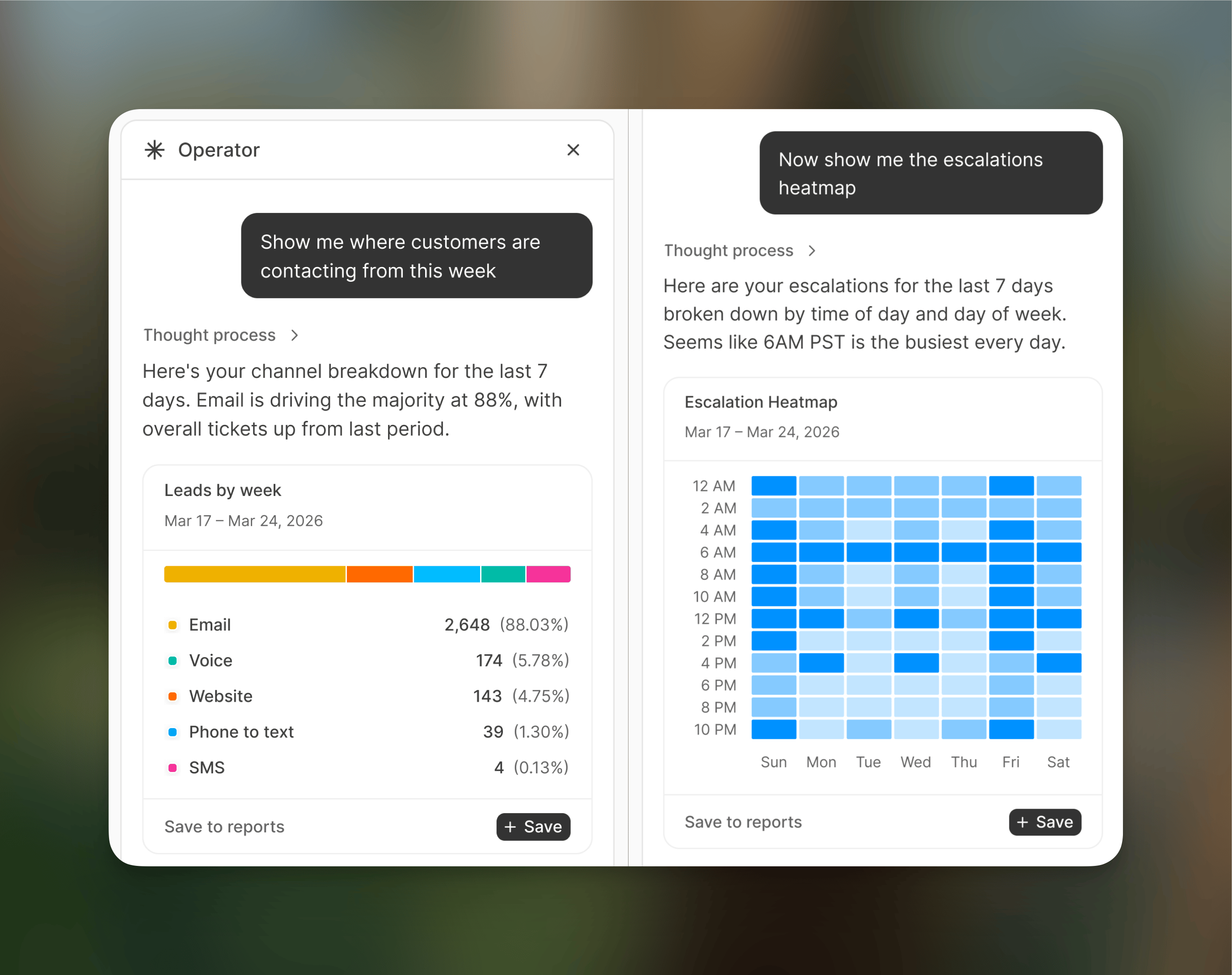
Operator surfaces insights and manages your knowledge base.
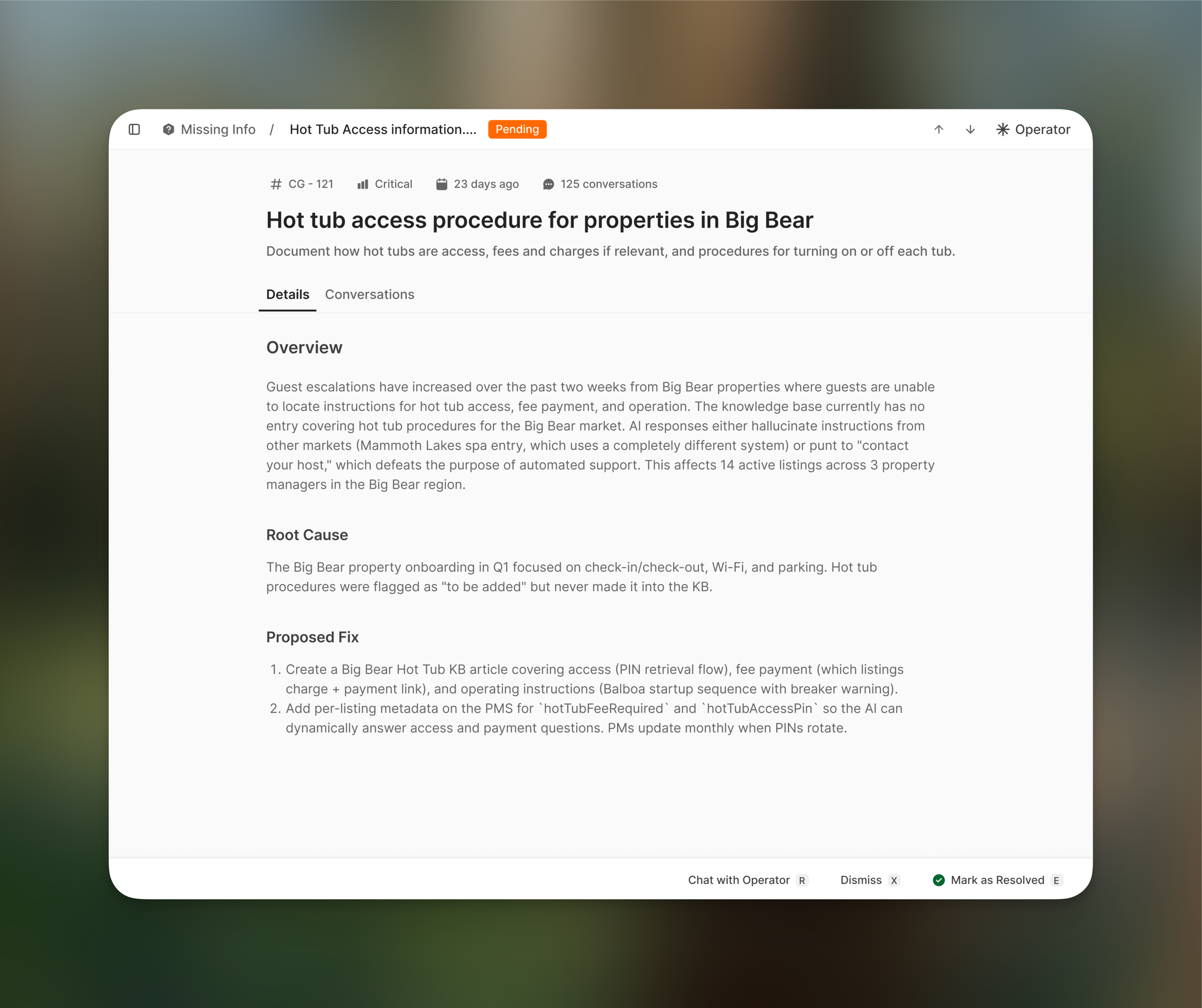
Escalations surface root causes with proposed fixes.
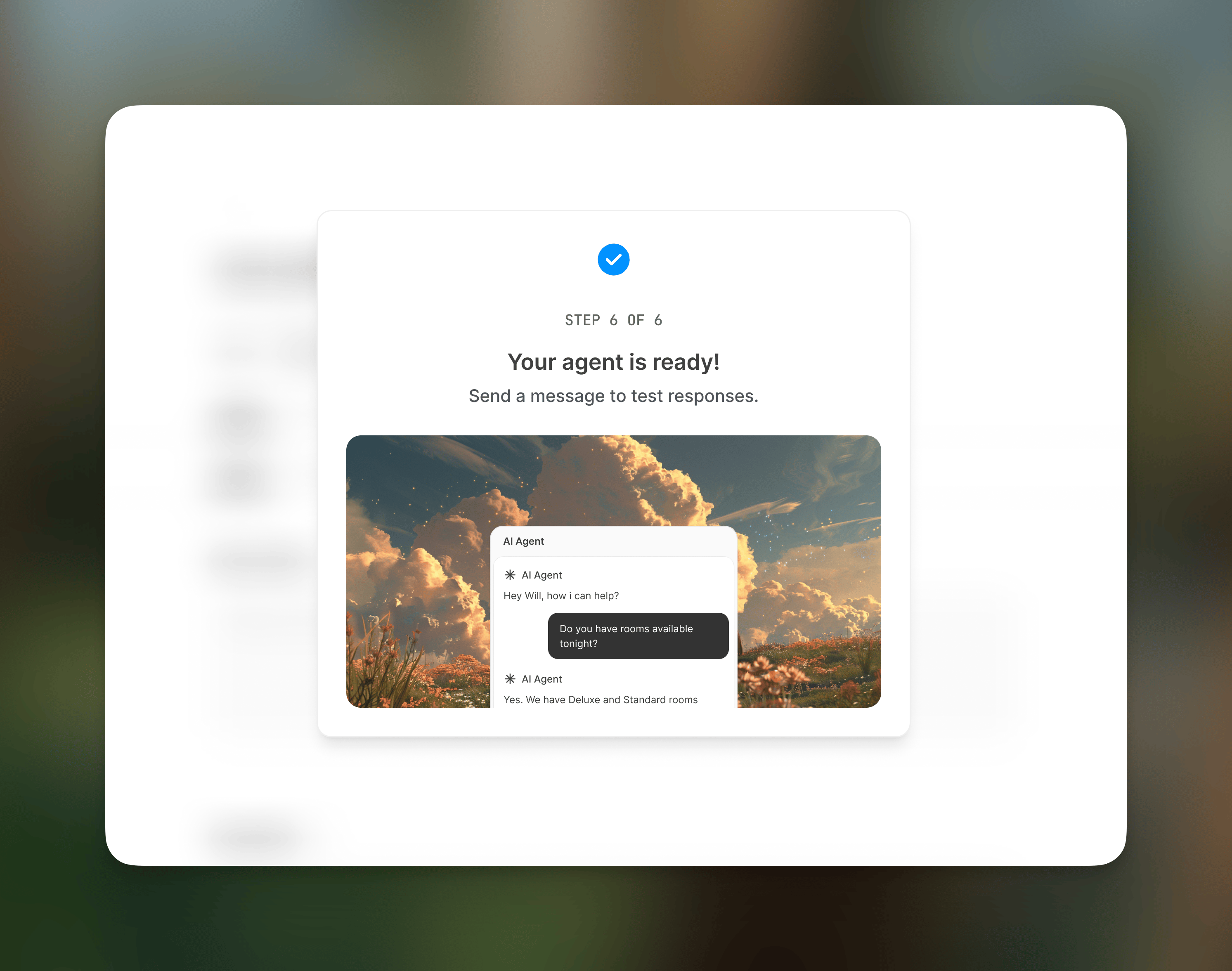
New agents go live in minutes with a guided setup flow.
Agent types in V3
V3 introduces two agent kinds: external and internal.Every existing agent migrates as an external agent. There is no behavior change to your current agents. Internal agents are a new capability introduced in V3.
Internal agent channels
Internal agents connect to channels so your team can trigger them or receive their output directly in the tools you already use.What Operator can generate
Operator is the in-app AI copilot, and you can reach it in Slack today. Beyond editing agent behavior and knowledge, it can produce structured outputs on demand.PDF reports
PDF reports
Operator generates downloadable PDF reports with charts built from your workspace data. Ask Operator to summarize escalation trends, automation rates, or conversation volume over any time range, and it produces a report you can share with your team.
CSV exports
CSV exports
Operator can export tabular data as CSV files. Use this to pull contact lists, conversation summaries, or any other structured dataset out of Conduit for use in external tools.
Answers and triage
Answers and triage
Ask Operator a plain-language question about your data and it answers directly. It can also triage open escalations, surface root causes, suggest fixes, and help you resolve issues in bulk.
Migration FAQ
Is there downtime?
There is zero downtime. Here’s how it works:- We migrate your knowledge base to the new V3 structure while your agents continue running on the existing knowledge base.
- Once all knowledge is migrated, double-checked, and confirmed clean, we flip the agent to use the new knowledge base.
- Your agents are live and responding throughout the entire process.
Will I lose any of my existing configuration?
No. All existing configuration is pulled over:
Your content stays intact. The structure is reorganized to be easier to manage, and procedures are upgraded to skills, but nothing is lost.
Do my integrations carry over? (Slack, PMS, channels, etc.)
Yes. You don’t need to reconnect anything. The backend for channels, integrations, and your inbox remains the same. V3 is primarily a UI and agent capability upgrade, not an infrastructure change.Is there any additional cost for V3?
No additional cost to upgrade. V3 is included in your current plan. Some new V3 features consume credits:- Operator uses LLM calls and accesses a purpose-built database, so Operator interactions consume credits. This includes generating PDF reports and CSV exports.
- API and MCP access will be charged accordingly when used.
When do I need to migrate? Is there a deadline?
Conduit V2 retires on October 31, 2026. Migrate before then to choose when your workspace switches. After October 31, we’ll migrate remaining V2 workspaces automatically.What do I need to prepare?
Not much. Share the V3 preview link and the walkthrough video above with your team so they know where the main workflows live in the new interface. That’s it. No exports, no documentation, no access grants needed on your end.What if something goes wrong? Who do I contact?
Your escalation options:- Support channel: Reach out through the regular support channel for fastest routing.
- Slack: If you have a shared Slack channel with us, that’s even faster.
- Your FDE: Your dedicated Forward Deployment Engineer is the person who onboarded you. They’re your point of contact throughout the migration and after.