

Internal agents don’t reply to contacts, so they don’t show Escalation rules or Behavior.
Subagents
Choose which internal agents this agent can delegate work to. The agent hands a task to a subagent when it needs that agent’s specialized tools or knowledge. Only internal agents appear in the list.Escalation rules
Each rule says When a message matches its conditions, Then take an action. Conditions are escalation types, such as AI missing info, AI needs your help, or Conflicting info, and conversation tags.
Select Add rule to create one, or hover over a rule and select edit to change it.
Behavior
Language and voice
Working hours
Select Agent working hours to set when the agent runs.Reply preferences
Auto mark-as-done
After the agent handles a message, whether it replies or stays silent, it marks the conversation done only when nothing is still owed to the contact. Escalations always stay open.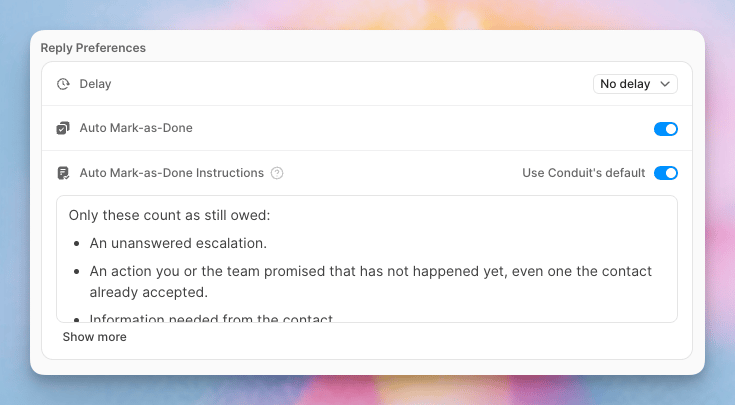
- An unanswered escalation.
- An action you or your team promised that has not happened yet, even one the contact already accepted.
- Information needed from the contact.
- A request a rule or guardrail told the agent to leave for your team, which nobody has answered yet.
Signature
Text added to the end of every reply this agent sends.Widget overrides
These settings apply only when the agent replies in the chat widget.
Changes on this tab are staged. Review them in the save bar and publish when you’re ready. Voice is the exception: it saves as soon as you pick one.